NexaRAM
DDR5 is no longer a distant promise; it is becoming a practical choice for servers, workstations, and newer desktop platforms. The Future of DDR5 technology will depend on more than peak speed. Compatibility, capacity, power use, cooling, and upgrade cost all shape real-world results. Not every upgrade is wise.
JEDEC’s DDR5 SDRAM standard, JESD79-5, defines data rates from 3,200 to 6,400 MT/s. That range provides a useful baseline, but advertised speed is not a guarantee of system performance. TrendForce’s DRAM market reports track the broader shift toward newer memory generations, while Samsung has demonstrated the scale of the transition with a 512GB DDR5 module. “With the introduction of the industry’s first 512GB DDR5 memory module, Samsung is playing a key role in helping accelerate the adoption of DDR5 memory in the market,” said Young-Soo Sohn, Samsung Electronics’ executive vice president of Memory Sales & Marketing. The statement reflects an industry direction, not a promise that every user needs more memory.
This guide explores seven practical tips: check motherboard and processor support, compare stable speeds, size capacity for actual workloads, and consider power and heat. It also looks at compatibility, upgrade timing, and the limits of benchmark claims. A memory kit may look impressive on a box. The catch? Your workload may barely notice. These tips aim to separate measurable gains from attractive specifications—and leave room for a harder question: when is staying with existing memory the better decision?
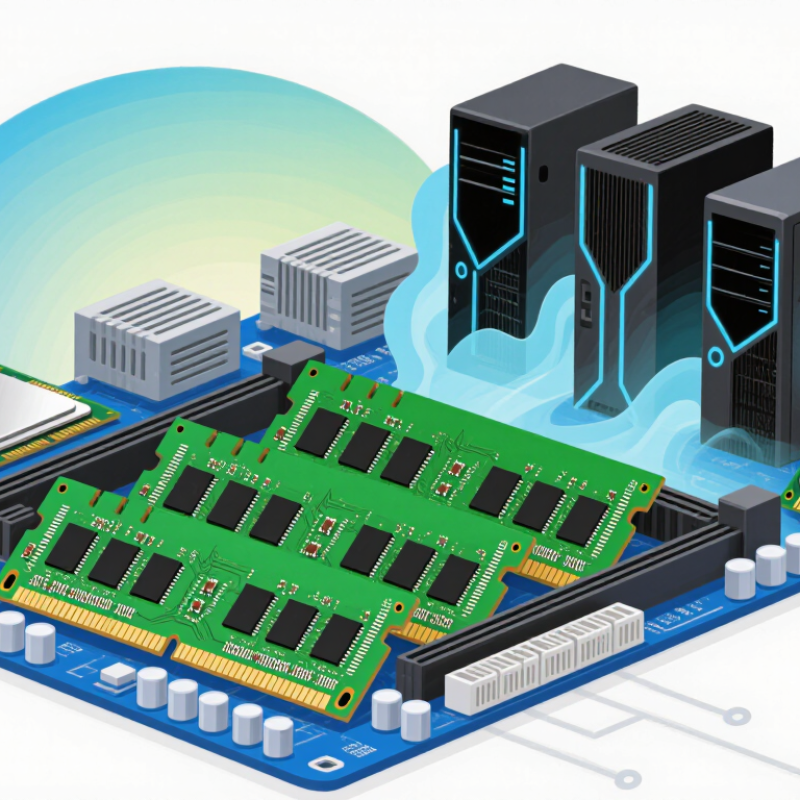
DDR5 changes the memory module itself, not just its transfer rate. A standard non-ECC module splits its data path into two independent 32-bit subchannels. Each can handle requests separately, which may improve access efficiency. Small shift. The architecture also expands bank capacity and uses a burst length of 16, moving more data during each access.
Power management moves onto the module through an onboard power-management circuit. This helps regulate voltage locally; DDR5’s nominal operating voltage is 1.1 volts. On-die error correction can repair certain errors inside the memory chips. It does not replace system-level error-correcting memory, though. That distinction matters when reliability is critical.
Current DDR5 modules offer higher data rates and greater capacities than earlier generations, but actual performance depends on the processor, motherboard, and workload. A memory-intensive task may benefit from added bandwidth, while a simple office workload may show little change. Check supported speeds before buying. Faster ratings can require careful setup, and the gains are not always obvious in everyday use. That part is easy to overlook.
DDR5’s future will be shaped by faster data rates and wider effective memory bandwidth. Compare transfer rates carefully, but treat the headline figure as only one part of the picture. Real performance also depends on the processor, memory controller, and supported configuration. Check platform specifications before choosing a faster kit; not every system can run it at its rated speed.
Think about bandwidth as a system resource. More memory channels can move more data at once, while matched modules help preserve the intended configuration. Timings matter, too: a higher data rate may come with looser timings, so compare both rather than chasing one number. Then test the tasks that matter, such as large file transfers, rendering, or heavy multitasking. Benchmarks can help, but results vary. This is easy to overlook.
Stability deserves attention as rates rise. After changing memory settings, run a reliable stability test and watch for errors or unexpected slowdowns. Keep cooling and airflow in mind, especially in compact systems. Leave some room for future upgrades, but avoid paying for bandwidth your workload cannot use. Progress is real, though not every upgrade feels faster. A little skepticism helps.
Planning DDR5 capacity starts with workload behavior, not a headline speed. IDC’s 2018 Data Age forecast projected 175 zettabytes of global data by 2025. That is a forecast, not a RAM-sizing formula. Gartner separately forecast worldwide public-cloud spending at $679 billion in 2024, up 20.4% year over year. These figures signal expanding infrastructure demand, but neither tells you how much memory a server needs. Measure application working sets, peak concurrency, and growth by service. Then separate capacity needs from bandwidth needs.
Build three-year scenarios, and include a slower-growth case. Estimate memory per node from real workload tests, not average utilization alone. Leave headroom for failover, software updates, and sudden traffic spikes. Check whether workloads are limited by memory capacity, bandwidth, or processor performance before selecting DDR5 configurations. More capacity cannot fix every bottleneck. Keep some room.
DDR5 planning should also account for module population, power limits, and the cost of unused capacity. Record baseline usage, then review it quarterly as workloads change. A small test cluster can expose poor assumptions before a full deployment. Forecasts are imperfect; internal telemetry is better, but it can miss tomorrow’s workload. Revisit the plan when application design or concurrency changes, rather than waiting for memory pressure to become an outage.
Treat DDR5 power as a system issue, not a voltage number. JEDEC’s DDR5 SDRAM standard specifies a 1.1-volt supply, below DDR4’s 1.2 volts, but faster speeds and higher capacity can still raise total platform demand. Measure first. Record memory power, workload, and temperature before changing settings. Choose a data rate your processor and workload can sustain; peak speed is not automatically the efficient choice. Check airflow around the modules, especially in densely packed servers. A small blocked vent can create a hot spot.
Set a realistic inlet-temperature target. ASHRAE’s Thermal Guidelines for Data Processing Environments, fifth edition, gives 18–27°C as the recommended range for data-center equipment. Keep filters and vents clear, and use monitoring to spot temperature changes under sustained load. Review error logs and validate stability after any configuration change. DDR5 on-die ECC can correct some internal memory-cell errors, but it does not replace system-level error correction. Not always. Better cooling may require more fan power, and higher fan speeds can add noise. That trade-off deserves measurement, not guesswork. Track power, temperature, and errors together; a single metric can hide a problem.
Before buying DDR5, confirm that the processor and motherboard support it; a matching socket alone proves little. DDR4 and DDR5 modules are physically keyed differently and cannot be swapped. JEDEC’s JESD79-5C standard specifies a nominal 1.1-volt supply for DDR5, but voltage is only one detail. Check the board manual for the exact module type, supported capacity, slot population rules, and validated speeds. A compact laptop module will not fit a desktop DIMM slot. Easy to miss.
Then check the processor’s memory limits and the motherboard’s support list, including its BIOS version. The advertised speed may exceed what your specific processor, board, and module combination can run. JEDEC defines standard DDR5 data-rate classes, while board makers may list higher overclocked profiles; treat those as conditional, not guaranteed. Also distinguish on-die error correction from system-level ECC support. They are not the same thing. A practical check: compare the full module part number against the board’s validated memory list, then confirm the intended capacity works with your chosen number of sticks. Compatibility lists are useful, but they are not exhaustive. I would verify twice; specification pages can be frustratingly vague.
Confirm that your processor and motherboard support DDR5. A matching socket alone is not enough. Check the board manual.
No. Their notches differ, so they do not fit the same slots.
Not necessarily. The processor, motherboard, BIOS, and module all affect supported speeds. Check the exact configuration.
Compare data rate and timings together. Faster rates can come with looser timings. Test the tasks you actually use.
They can move more data at once. Matched modules help maintain the intended configuration. Check your motherboard’s slot guidance.
Run a stability test and watch for errors or slowdowns. Keep airflow in mind, especially in a compact case.
No. They are different features. Confirm whether your processor and motherboard support system-level ECC.
No. Compare the full module part number with the board’s validated list, then verify capacity and stick count. Support pages can be vague; I would check twice.
The Future of DDR5 technology will be shaped by more than rising memory speeds. To make informed decisions, start by understanding DDR5’s architecture and how features such as improved data handling and onboard power management affect everyday performance. Keep an eye on advances in data rates and memory bandwidth, but consider whether your applications can benefit from them. Estimate capacity needs based on the workloads you expect to run, allowing room for demanding software and multitasking.
When choosing or upgrading memory, balance performance with power efficiency, cooling, and long-term reliability. Check your processor, motherboard, supported memory specifications, and available slots before buying, since compatibility can limit the benefits of a faster module. Compare real-world needs rather than focusing on headline figures, plan for future growth, and ensure the system can maintain stable operation under sustained workloads. These practical steps can help you prepare for evolving computing demands without overspending.
