NexaRAM
When considering memory options for your system, the choice between Server RAM vs desktop RAM is crucial. Both types serve different purposes and cater to distinct user needs. Server RAM is designed for high-performance tasks, ensuring reliable data access and processing in demanding environments. It often features error-correcting capabilities, which is critical for servers handling large workloads.
On the other hand, desktop RAM focuses on everyday computing tasks. Its design prioritizes speed and efficiency for general use. However, it lacks the robust error correction found in server RAM. This may lead to occasional issues during intensive applications, especially if you're pushing your system to its limits.
Choosing the right RAM means understanding how you'll use your system. If your work involves heavy multitasking or data analysis, investing in Server RAM may be necessary. Alternatively, for casual use, desktop RAM could suffice. Reflecting on your needs will guide you better in this decision.
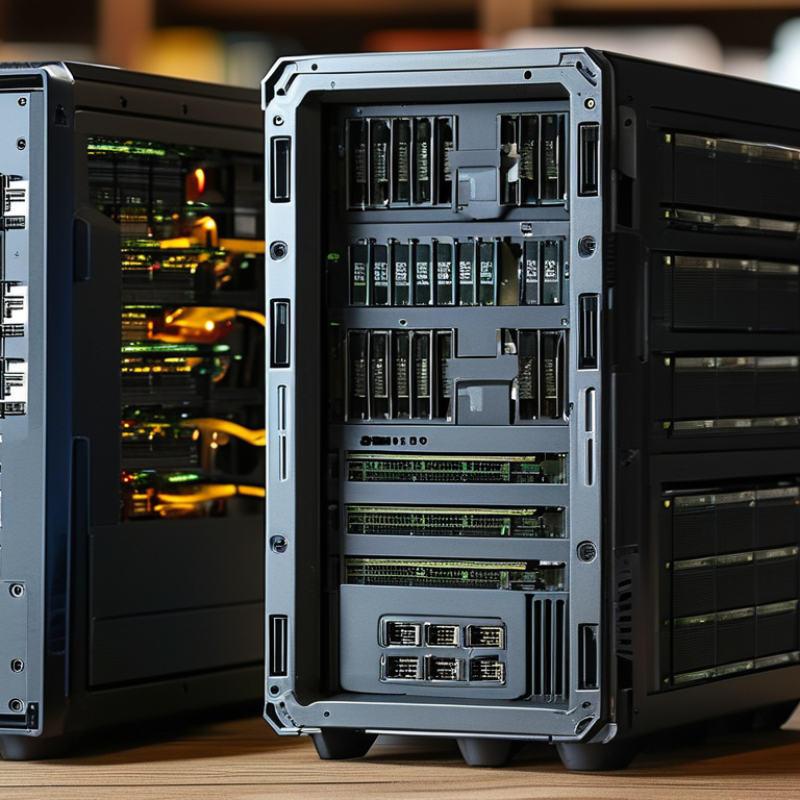
When considering Server RAM and Desktop RAM, it’s essential to understand their differences. Server RAM is designed for stability and reliability in high-demand environments. It often features Error-Correcting Code (ECC) to detect and rectify errors. This capability is vital for servers that handle critical data applications. In contrast, Desktop RAM typically prioritizes speed over stability. It lacks ECC, which makes it more suitable for everyday tasks and gaming.
Desktop RAM operates at higher clock speeds to enhance performance in personal computing. It is generally less expensive and comes in various capacities. This makes it appealing for individual users. However, it may not perform well under heavy workloads, leading to potential system crashes. On the other hand, Server RAM is more expensive but is built for multitasking and long operational periods.
In selecting the right type of RAM, reflect on your needs. If you require constant uptime for applications, Server RAM is likely the better choice. For casual users or gamers, Desktop RAM would suffice. Understanding these aspects can help guide your decision and optimize your system's performance.
When choosing between server RAM and desktop RAM, understanding the key differences is crucial. Server RAM is designed for stability and performance under heavy loads. It typically has features like ECC (Error-Correcting Code) to prevent data corruption. This is particularly important in environments that require high reliability, such as data centers. In contrast, desktop RAM focuses on speed and gaming performance. Although it may not have ECC, it often comes with higher clock speeds.
Another vital distinction is capacity. Server RAM usually supports larger memory sizes, accommodating multiple users and applications simultaneously. In a server, memory can range from 8 GB to several terabytes. Desktop RAM tends to cap out at 32 GB to 64 GB for standard builds. This difference makes server RAM more suitable for tasks like virtualization and high-end computing. However, for gaming or light productivity tasks, desktop RAM is often sufficient.
Beyond these factors, cost is also a consideration. Server RAM can be significantly more expensive due to its specialized features. If budget is tight, desktop RAM offers ample performance for everyday use. Nevertheless, it's important to think long-term. Investing in server RAM might pay off in environments where downtime is unacceptable. Each option has its place, depending on specific needs and use cases.
When choosing between server RAM and desktop RAM, consider performance needs. Server RAM typically offers higher reliability. It is built for 24/7 operation. This can be crucial for businesses that depend on uptime. In contrast, desktop RAM is designed for everyday use. It supports gaming, multitasking, and general productivity.
The speed and capacity of RAM play significant roles in performance. Server RAM often has ECC (Error-Correcting Code) capabilities. This helps prevent data corruption. On the other hand, desktop RAM focuses on speed for better gaming experiences. While server users may prioritize stability, desktop users may prefer raw speed. Both types must fit the user’s specific scenarios and performance needs.
Another aspect is scalability. Servers may require adding RAM modules as workloads grow. This flexibility is essential for businesses. Desktop users may not need this scalability as their needs are often static. Each option has its pros and cons, depending on individual requirements. Reflecting on these factors can help guide the decision-making process.
Choosing between server RAM and desktop RAM can significantly impact performance. Understanding your needs is essential. If you're running high-demand applications, server RAM is often the better choice. It is designed for stability and reliability under heavy loads. Server environments require memory that can handle multitasking effectively.
On the other hand, desktop RAM suits general usage. Ideal for everyday tasks like browsing and document creation, it provides adequate performance. However, it may fall short when faced with resource-intensive programs. Users must assess what they prioritize. If your work involves data processing or virtual machines, opt for server RAM.
When you consider upgrading, reflect on your workload. Are you leaning towards gaming or professional applications? Sometimes, the decision is clearer than we think. A well-structured budget can lead to the right choice. Don’t rush; take time to analyze your situation. Your system's performance ultimately hinges on this choice.
| Dimension | Server RAM | Desktop RAM |
|---|---|---|
| Use Case | High-performance server applications, virtualization | General computing, gaming, and casual use |
| Memory Types | ECC (Error-Correcting Code) RAM | Non-ECC RAM |
| Capacity | 64GB to 2TB | 4GB to 128GB |
| Speed | 2133 MHz to 3200 MHz | 2400 MHz to 3600 MHz |
| Power Consumption | Higher due to capacity | Lower due to size |
| Cost | More expensive per GB | Less expensive per GB |
| Ideal For | Datacenters, large-scale applications | Home users, office tasks |
When selecting RAM, understanding cost factors is crucial. Server RAM tends to be more expensive than desktop RAM. According to industry reports, server RAM often costs 30% to 50% more due to enhanced features like error correction. These features ensure better stability and reliability for mission-critical applications. However, if your usage is less demanding, desktop RAM can be a cost-effective choice.
Tip: Assess your needs carefully. Consider your workloads and applications. If you run heavy software or virtual machines, investing in server RAM may be wise. For casual use or light gaming, desktop RAM suffices and saves money.
Another aspect is availability. The market can fluctuate, impacting prices. Keep an eye on trends and stock levels. A recent study indicated that RAM prices saw a 20% dip in Q2 2023, providing a potential opportunity for consumers. However, this unpredictability can lead to challenges in budgeting.
Tip: Set a flexible budget. This approach will allow room for adjustments based on market conditions. Failure to adapt could result in missed opportunities to acquire better RAM at a lower price. Always stay informed about market dynamics before making your purchase.
M?
If you run high-demand applications, server RAM is ideal for stability and reliability under heavy loads.
Desktop RAM focuses on speed for gaming and general productivity, while server RAM offers higher reliability and error correction.
Yes, server RAM is typically 30% to 50% more expensive than desktop RAM due to enhanced features.
Desktop users often don't require scalability. Server systems may need additional modules as workloads increase.
For light tasks like browsing or document creation, desktop RAM is sufficient and more cost-effective.
Prices can fluctuate, so keep an eye on market conditions to find better deals.
Take your time to analyze your situation. A hasty choice can impact your system's performance.
Desktop RAM is usually preferred for gaming due to its speed and focus on performance.
Consider workloads like data processing or virtual machines. If they are part of your routine, choose server RAM.
In the discussion of "Server RAM vs Desktop RAM," understanding the significant differences between these two types of memory is crucial for making informed choices. Server RAM is designed for high-performance tasks, offering features such as error correction and support for higher capacities, which are essential for maintaining system stability and reliability in server environments. In contrast, Desktop RAM is optimized for general computing needs, providing sufficient performance for everyday applications and gaming.
When considering performance, server RAM generally outperforms desktop RAM due to its architecture and intended use cases, making it ideal for data centers and enterprise applications. However, for typical home or office use, desktop RAM is often sufficient and more cost-effective. Budget considerations play a significant role in RAM selection, as server RAM typically comes at a higher price point. Understanding your specific needs will aid in determining the right choice between Server RAM and Desktop RAM for your situation.
