NexaRAM NexaRAM

7 Tips Why Low Latency RAM Matters for Global Buyers?

Time:2026-09-14 Author:Amelia
0%

Global buyers often compare RAM by capacity and speed alone. That approach can miss a critical performance factor. Low latency RAM importance becomes clearer when servers handle databases, cloud applications, financial models, or real-time analytics across distant regions. Every delayed memory request can add pressure to the processor. Small delays may become visible during heavy workloads.

Brendan Gregg, a respected performance engineer and author, states, “Latency is the time taken to perform an operation.” His observation applies directly to memory selection. Lower latency can help a CPU receive data sooner, especially when applications make frequent random memory requests. However, buyers should not treat latency numbers as isolated promises. Frequency, CAS latency, memory channels, processor support, and motherboard design must be evaluated together. A high-speed module may not deliver better results in every system.

The practical difference can appear in a busy server room. One configuration may complete database queries smoothly, while another pauses during peak traffic. Benchmark evidence matters more than attractive packaging. Buyers should request tested timings, supported voltage, ECC details, warranty coverage, and regional technical support. Firmware compatibility also deserves attention, particularly for multinational deployments. I have seen specifications look impressive until platform testing exposes instability. That is an uncomfortable reminder: faster RAM is not automatically better RAM. A careful buyer should compare real workloads, not only laboratory figures. This article presents seven practical tips for evaluating low-latency memory, reducing compatibility risks, and making a more defensible global purchasing decision. Mistakes still happen. Careful testing limits their cost.
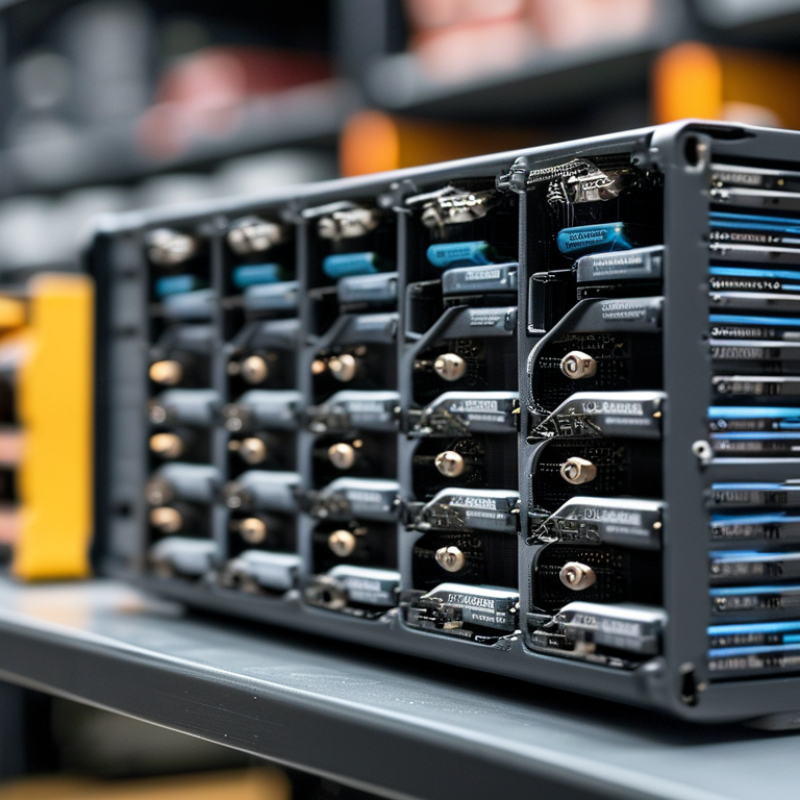
7 Tips Why Low Latency RAM Matters for Global Buyers?

What Low-Latency RAM Means and Why It Matters

What Low-Latency RAM Means and Why It Matters

Low-latency RAM responds quickly to requests from a processor. Latency describes the delay between a request and data delivery. It is shown through timing values, such as CAS latency. Lower timing usually means faster response. However, speed ratings alone can mislead buyers. A module with higher transfer speed may still perform well in real workloads. I compare both speed and timings before making recommendations.

The improvement may feel small during email work. It becomes clearer in gaming, simulation, and real-time data tasks.

Tip 1: Check complete timings, not one number. Ask suppliers for tested specifications and operating conditions.

Tip 2: Match the memory with your system. The motherboard, processor, capacity, and voltage must support the selected module.

I once assumed the lowest latency would always win. Testing proved that balanced compatibility mattered more. Real systems can behave differently.

Tip 3: Consider the workload before paying extra. Content creation and scientific software may benefit more than basic office tasks.

Tip 4: Request quality records from international suppliers. Look for testing procedures, failure rates, warranty terms, and stable packaging.

RAM may cross humid or cold regions during shipping. Protection matters.

Tip 5: Check long-term reliability, not only benchmark results. Lower latency can improve responsiveness, but poor thermal control may reduce stability. That detail is easy to overlook.

How RAM Latency Affects Speed, Gaming, and Professional Workloads

Low latency RAM can make a system feel sharper, but speed depends on more than one number. JEDEC’s DDR5 standard supports higher transfer rates and improved channel efficiency, yet effective latency still matters. Use this formula: latency in nanoseconds equals CL multiplied by 2,000, divided by data rate. DDR5-6000 CL30 therefore delivers about 10 nanoseconds. Tip one: compare real latency, not frequency alone. Tip two: check motherboard compatibility and supported memory profiles before ordering.

Gaming benefits appear most clearly in CPU-limited scenes, high refresh-rate play, and simulation titles. Independent 2024 DDR5 benchmark reports commonly show small average frame-rate gains, often around 1% to 5%, when timings improve at the same capacity. Some low-percentile results improve more. That means smoother busy scenes, not magic. Tip three: prioritize capacity first. Tip four: test one game, not only synthetic scores. Tip five: keep two matched modules when the platform supports dual-channel operation.

Professional workloads behave differently. SPEC CPU benchmark guidance and workstation testing show that compression, code compilation, and data analysis may favor bandwidth or additional capacity. Video timelines can stutter when memory is nearly full, even with excellent latency. Tip six: choose enough RAM before chasing tighter timings. Tip seven: compare total platform cost, including cooling and firmware support. I would not pretend every low-latency kit is automatically better. BIOS training can be slower, stability may require manual tuning, and regional return policies vary. Check the manufacturer’s published specifications, independent test methods, and warranty terms carefully.

How to Compare Timings, Frequency, Capacity, and Compatibility

Global buyers should compare RAM beyond headline frequency. Low latency can reduce delays when games, design software, or databases access data repeatedly. Timings show this delay through numbers such as CL30 or CL36. Lower is usually better. Frequency still matters because it controls data-transfer speed. A high-speed module with loose timings may not outperform balanced memory. Small details matter.

Tip 1:

Compare timings at the same frequency. For example, CL30 at 6000 MT/s usually responds faster than CL36 at 6000 MT/s. Use the full timing set when possible, not CAS latency alone. A practical formula is latency in nanoseconds = CL × 2000 ÷ MT/s. I once focused only on frequency and missed this difference.

Tip 2:

Match capacity to the workload. Sixteen gigabytes may suit office work, but heavier editing or virtual machines often need 32GB or more. Avoid buying excessive capacity if the system cannot use it efficiently.

Tip 3:

Check compatibility carefully. Confirm the memory type, module layout, supported speed, voltage, and motherboard limits. Firmware support can affect stability, especially with faster profiles.

Tip 4:

Test before scaling up. Run a memory diagnostic and several hours of real workloads. Advertised specifications are useful, but actual stability can vary by processor, board, and installation. Leave room for doubt.

Why Regional Standards, Pricing, and Availability Matter to Global Buyers

7 Tips Why Low Latency RAM Matters for Global Buyers?

Why Regional Standards, Pricing, and Availability Matter to Global Buyers

Low-latency RAM can reduce waiting time in servers, workstations, and trading systems. However, performance is only one purchasing factor. In real procurement reviews, regional compatibility often decides whether memory works reliably. JEDEC’s DDR5 standard begins at 3,200 MT/s, but supported speeds vary by processor, motherboard, firmware, and module design. ECC, registered, and unbuffered modules are not interchangeable.

Regional standards matter. Power delivery, testing requirements, warranty terms, and import documentation can differ between markets. A module approved for one data center may need additional validation elsewhere. Small details matter. Buyers should check voltage, rank layout, temperature ratings, and firmware support before comparing latency figures.

Pricing also changes quickly. TrendForce reported that conventional DRAM contract prices were expected to rise 13–18% in the first quarter of 2024. That movement can affect project budgets within weeks. Availability creates another risk. A lower-priced module is not useful when replenishment takes eight weeks. WSTS reported global semiconductor sales reached 588.4 billion dollars in 2024, showing strong industry demand, but broad growth does not guarantee local stock. Some buyers focus too heavily on benchmark results. That is understandable, yet incomplete. A practical comparison should include delivered cost, regional certification, replacement access, and stable supply._latency is valuable, but procurement reliability often protects performance better.

How to Choose Reliable Low-Latency RAM for Different Systems

Tip 1 Start with the system, not the advertised speed. Check the motherboard manual, processor memory support, module type, capacity limits, and voltage requirements. Low latency only helps when the platform can run the memory correctly. A fast kit may downclock automatically or fail to reach its rated settings.

Tip 2 Compare complete timing values. Look beyond the first latency number, because CAS latency alone does not describe real performance. Review timings such as CL, tRCD, tRP, and command rate. Use the standard latency formula: latency in nanoseconds equals CL multiplied by 2000, divided by data rate. Lower results usually respond faster, but the difference may be small in office systems. Test with the workloads that matter.

Tip 3 Prioritize verified stability over impressive specifications. Look for memory listed in the system’s qualified support documentation, especially for workstations, servers, and compact computers. Confirm whether ECC, registered, or unbuffered memory is required. Mixing modules can reduce speed and create intermittent errors. I have seen systems pass a short boot test, then fail during long rendering sessions.

Global buyers should also examine operating temperature, packaging, return procedures, warranty coverage, and regional support. Shipping vibration and unclear product descriptions cause avoidable problems. Check the exact module part number and inspect the memory after delivery. No checklist is perfect. A longer stability test is still worth the extra time.

FAQS

What does low-latency RAM mean?

Low-latency RAM delivers requested data with less delay. Timing values, such as CL30, describe this response time. Lower timing is usually better.

Is lower latency always faster?

Not always. Transfer speed, timings, capacity, and compatibility work together. A balanced module may outperform one with the lowest timing.

How can buyers compare RAM timings fairly?

Compare timings at the same transfer rate. For example, CL30 at 6000 MT/s usually responds faster than CL36 at 6000 MT/s. Use the complete timing set.

How is RAM latency calculated?

Use this formula: latency in nanoseconds = CL × 2000 ÷ MT/s. CL30 at 6000 MT/s equals about 10 nanoseconds. The calculation is useful, but real performance can differ.

How much RAM capacity does a system need?

Sixteen gigabytes may suit office work. Video editing, simulation, and virtual machines often need 32GB or more. Extra capacity helps only when the system can use it.

Which system details must buyers check?

Confirm the memory type, module layout, supported speed, voltage, processor, and motherboard limits. Firmware support also affects stability. Small details matter.

When does low-latency RAM provide noticeable benefits?

Gaming, design software, databases, and real-time workloads may show clearer improvements. Email and simple document work may feel almost unchanged. The difference can be subtle.

Why should global buyers consider regional supply conditions?

Voltage rules, testing requirements, warranty terms, and import documents may differ between markets. Check local approval and replacement access before ordering large quantities.

What quality records should buyers request from suppliers?

Ask for testing procedures, failure rates, warranty terms, temperature ratings, and packaging details. RAM may cross humid or cold regions during shipping. Protection matters.

How should buyers test RAM before expanding an order?

Run a memory diagnostic and several hours of real workloads. Test the installed configuration, not only a sample module. Advertised results are helpful, but incomplete.

Conclusion

Understanding Low latency RAM importance helps global buyers make better decisions when upgrading computers for gaming, productivity, and professional workloads. Low-latency RAM can reduce the delay between a system requesting data and receiving it, improving responsiveness and supporting smoother multitasking. However, latency should not be considered alone. Frequency, capacity, memory timings, motherboard support, processor compatibility, and system configuration all influence real-world performance.

Global buyers should also evaluate regional standards, pricing, warranty coverage, and product availability before making a purchase. Memory specifications and supported technologies may differ between systems and markets, so checking compatibility is essential. A reliable low-latency RAM solution should provide the right balance of speed, capacity, stability, and value for the intended workload. By comparing complete specifications rather than focusing on a single number, buyers can choose memory that performs consistently and suits their system requirements.

Amelia

Amelia

Amelia is a seasoned marketing professional with a wealth of expertise in our company’s core offerings. With an unwavering passion for driving growth and innovation, she plays a pivotal role in shaping our marketing strategies and enhancing brand visibility. A key aspect of her responsibilities......